Showing posts with label software. Show all posts

Wednesday, September 28, 2016

Best Free Data Recovery Software for all iOS Devices iPhone iPad iPod

Best Free Data Recovery Software for all iOS Devices iPhone iPad iPod


This is very common fault, many iPhone and iOS users  accidentally delete camera photos and  contacts in iPhone. Now they dont know how to recover these deleted photos from iPhone. What is Good software for recovering delete photos, pictures and message from iPhone ?
In this post we clear your all confusions about recovering data in iPhone.
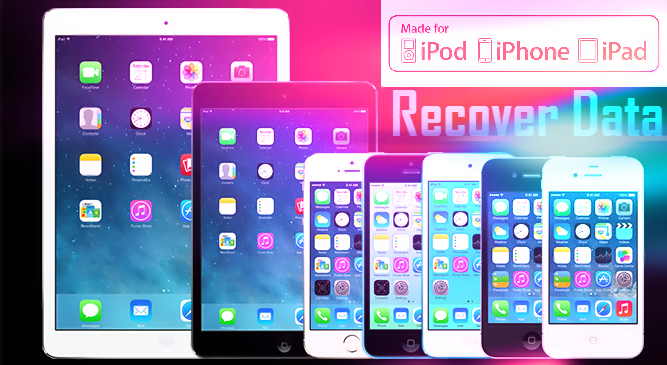
recover-data-of-iphone

But I think first you need to know what is Data Recovery.

What is Data Recovery

Data Recovery is process of recovering your delete data like movies, pics, pictures, messages, contacts and music. 
On Internet there are many type of software for recovering your delete in iPhone.
 But here in this post we use EaseUS recovery software for recovering your delete data. EaseUS is totally free and dont need to pay any type of money.


How to recover delete & lost data on Android (rooted or not) 


EaseUS MobiSaver Free Software for Windows and Mac

EaseUS MobiSaver Free is an easy-to-use and completely free iPhone data recovery tool. It can retrieve lost contacts, messages, photos, notes, videos, etc from all iOS devices. Handing an iPhone is pretty cool and eye-catching. But if you lost your files or data due to accidental deletion, or iOS upgrade, device crash or damage, you will feel desperate and frustrated. If you dont want to pay for the expensive price to recover your important files from iPhone, EaseUS MobiSaver Free is your best bet.

How to Unlock/Bypass iPhone Passcode - iPhone 6/6 plus/5/5c/5s/4/4s 


Steps for Recovering Deleted from iPhone

Recover Data From iOS Device

Step 1. Connect Device to PC and Select Recovery Mode
Run EaseUS MobiSaver and connect your iOS device to the computer. Soon you will see the three recovery modes the software offers in its main window. Choose "Recover from iOS Device" mode and click "Scan" button on the right side.
easeus-saver-mobile


Step 2. Scan the Device to Find Lost Data
Finish step 1, EaseUS MobiSaver will automatically scan your iOS device to find out and analyze all the existing and deleted files. The length of the time spend in scanning depends on the number of the file you stored on your device. So if there are lots of data on your device, please wait patiently till the software finish the scanning task. You can also click "Stop" button to cancel the scanning task and try to find lost data from current scan result.
easeus-saver-mobile


Step 3. Preview and Recover The Lost Data
After scanning, all the recoverable files on the iOS device found by EaseUS MobiSaver will be displayed on the left side in well-organised categories. You can easily find and preview the exact type of file by clicking the correct category. Finally, you can select out all the iOS data you desire and get them back with one click on "Recover" button. Here you need to specify a folder to save the recovered files on your computer.
easeus-saver-mobile

Top 10 New Apple IPhone Secret Codes 

Data Recovery Supported Devices 

Support almost all iOS devices

iPhone 6Plus, iPhone6, iPhone5s, iPhone 5c, iPhone 5,iPhone 4S, iPhone 4, iPhone 3GS
iPad, iPad 2, The new Pad, iPad 4, iPad with Retina display, iPad Air, iPad Air 2, iPad Mini, iPad Mini 2, iPad Mini 3
iPod touch iPod touch 5, iPod touch 4


Data Recovery Supported Files

Recover Photos , Recover Videos, Recover Messages, Recover WhatsApp Messages, Recover Contacts, Recover Call History, Recover Notes, Recover Calendar, Recover Reminders , Recover Safari, Bookmarks, Recover Message, Attachments, Recover Camera Roll

This is one of the best and free data recovery software for Windows and Mac. You can recover all type of deleted from iPhone and other iOS devices.


download now

Tuesday, September 27, 2016

Best Translator Software in the World

Best Translator Software in the World


download
1

download now

Monday, September 26, 2016

Cara Sembunyikan Folder Tanpa Software

Cara Sembunyikan Folder Tanpa Software


Ada banyak metode yang dapat Anda gunakan untuk membuat folder yang dilindungi dangan kata sandi, sebagian besar yang memerlukan penggunaan beberapa perangkat lunak pihak ketiga. Menggunakan metode rapi Anda dapat menyembunyikan folder dengan batch script cepat. Sangat penting untuk dicatat bahwa ini akan benar-benar menyembunyikan data Anda.


Buat Folder Sandi:
Sebelum Anda memulai Anda perlu membuat folder dilindungi dengan kata sandi keinginan Anda, ini hanya sebuah folder biasa dan dapat dibuat di mana saja dan diberi nama apa pun.


Arahkan ke folder yang baru dibuat dan membuat Text Document baru. Ini dengan mudah dapat dilakukan dari menu konteks.


Buka dokumen, sekarang paste kode berikut di bawah ini ke dalam isi dokumen:

cls

@ECHO OFF

title Folder Private

if EXIST "HTG Locker" goto UNLOCK

if NOT EXIST Private goto MDLOCKER

:CONFIRM

echo Are you sure you want to lock the folder(Y/N)

set/p "cho=>"

if %cho%==Y goto LOCK

if %cho%==y goto LOCK

if %cho%==n goto END

if %cho%==N goto END

echo Invalid choice.

goto CONFIRM

:LOCK

ren Private "HTG Locker"

attrib +h +s "HTG Locker"

echo Folder locked

goto End

:UNLOCK

echo Enter password to unlock folder

set/p "pass=>"

if NOT %pass%== PASSWORD_GOES_HERE goto FAIL

attrib -h -s "HTG Locker"

ren "HTG Locker" Private

echo Folder Unlocked successfully

goto End

:FAIL

echo Invalid password

goto end

:MDLOCKER

md Private

echo Private created successfully

goto End

:End


Ubah teks PASSWORD_GOES_HERE dengan password yang Anda inginkan. Sekarang simpan file tersebut dan kasih nama sebagai locker.bat.


Setelah file disimpan, Anda harus menghapus file teks dokumen.


Sekarang jalankan file locker Anda dengan mengklik dua kali, itu akan membuat folder baru bernama Private. Di sinilah Anda dapat menyimpan semua hal rahasia Anda. Setelah Anda selesai menambahkan semua barang-barang Anda ke folder Private dan jalankan locker.bat lagi untuk mengunci dan mrnghilangkan.


Kali ini Anda akan ditanya apakah Anda yakin ingin mengunci folder Private, tekan saja "Y" dan tekan enter untuk mengunci folder tersebut.


Jika Anda membuka locker script lagi, Anda akan diminta untuk memasukan password. Masukan saja password yang Anda buat sebelumnya.


Jika Anda memasukkan password yang sama seperti yang telah ditetapkan dalam folder script  Pribadi akan muncul kembali, jika Anda memasukkan sandi yang salah script hanya akan muncul Terminate. Lihat dibawah ini Video tutorialnya Selamat mencoba.


Artikel terkait:

Gratis sembunyikan file dan isi usb.

Pembersih sampah gratis untuk usb

Sembunyikan identitas online ip easy.

Download panda security beta 2013.

Cara menggunakan registry di windows xp.

Dapatkan tombol keys shortcut di Windows 8.

Cara shut down atau reboot pc di Windows 8.

Cara nonaktifkan windows7 media center.

Memperbaiki program instalasi

download now

Turn your Laptop into WIFI hotspot in One Click Without Software

Turn your Laptop into WIFI hotspot in One Click Without Software


If you are a Modem User or Broadband Cable user, you always faced a Wireless Internet Sharing problem. Many Windows users download create hotspot software for windows for solving this problem. But here I suggest you not download create hotspot software because these software contains spyware and adware.
wifi hotspot

If you work on laptop or use Blutooth adapter in PC , so you follow my guide for creating hotspot in Windows PC for sharing Internet Connection with Others Laptop and Mobiles. 
You can create hotspot in Windows 7 and Windows 8 PC in just one click. 
Follow my guide for finding Hidden Wireless Network.

Follow the below steps for create hotspot in Windows 7 for sharing Internet Connection.

1. Open notepad ,copy the below lines and paste in your notepad.

netsh wlan set hostednetwork mode=allow ssid=prophethacker key=prophethacker
netsh wlan start hostednetwork

2. Save your file in .bat format with quoted marks like "hotspot.bat".
hotspot save file
3. Open your file with run as adminsitrator and your Hotspot is ready.

Now your Hotspot is ready but Internet Sharing is not configured . So this time you need to some simple task.

Configured Internet Sharing Settings 


Now click Control Panel > Network and Internet > Network and Sharing Centre > , right-click your internet connection that you wanna share it and select Properties. Click the Sharing tab, check "Allow other network users to connect...",  - and thats it. 
create hotspot in windows 8 and 7

create hotspot in windows 8 and 7

In above Picture You see Internet Connection is enable in prophethacker network that created by bat file.
So When you need Shared Internet Connection , you just need to right click on your hotspot.bat file with run as administrator. You dont need to do Configured Settings
Any nearby Wi-Fi enabled device should see a new network appear with the SSID you defined above. Theyll be able to connect to it using your password, and can then immediately share your internet connection.


download now

Sunday, September 25, 2016

Software Buat Game RPG

Software Buat Game RPG


Jamil 21 - Bismillahirrahmanirrahim. Game RPG adalah sebuah permainan yang para pemainnya memainkan peran tokoh-tokoh khayalan dan berkolaborasi untuk merajut sebuah cerita bersama. Salau satu contoh game RPG adalah Harvest Moon. 

Baca juga Download 5 Game Harvest Moon 

Namun, pernahkah anda berpikir untuk membuat game RPG ? Banyak orang bilang bahwa buat game itu susah, tapi saya katakan TIDAK !!!! Anda sekarang bisa buat game terkhusus disini game RPG tanpa perlu jago koding. Disini saya bagikan software pembuat game RPG.

1. RPG Maker VX Ace Lite
Ini merupakan software RPG Maker VX Ace Lite yang gratis. Jadi silahkan langsung di download.
Screen shots


Download

2. RPG Maker XP


Download | Crack

3. RPG Maker VX
Screenshots


Download | Crack

4. RPG Maker VX Ace


Download | Crack

5. RPG Maker MV
Ini adalah software terbaru RPG Maker, fitur andalannya yaitu support Mac, IPhone, Android OS dan Browser.


Download | Crack
Semoga bermanfaat.

Sumber :
https://id.wikipedia.org/wiki/Permainan_peran
http://www.rpgmakerweb.com

download now

Gratis 3 Foto Editing Software untuk Windows 7

Gratis 3 Foto Editing Software untuk Windows 7


Sebagian besar dari Anda, menggunakan Microsoft Office 2010, mungkin akrab dengan perusahaan Manajer Gambar. Alat ini mencakup beberapa fungsi dasar dan memungkinkan Anda mengelola, mengedit, berbagi, dan melihat gambar dari mana Anda menyimpannya pada komputer Windows Anda. Tetapi jika Anda mencari sedikit lebih, Anda dapat memeriksa ini 3 foto editing software gratis untuk Windows 7.

Photo Editing software Gratis download
1. Photoscape. Menurut pendapat saya, PhotoScape adalah salah satu software gratis terbaik untuk pengalaman editing gambar yang lengkap. Jika Anda melihat daftar fitur dari program ini, Anda akan menyebut program ini, editor foto, converter gambar, penampil gambar, semua digulung menjadi satu. PhotoScape sebenarnya adalah cepat dan mudah untuk menggunakan alat dimaksudkan untuk mengedit gambar yang hebat.


PhotoScape fitur
PhotoScape menawarkan banyak fitur dan memungkinkan banyak perubahan seperti:
  • Frames 
  • Mengubah ukuran 
  • Anda dapat menambahkan teks dan item lainnya ketika mengedit dengan PhotoScape 
  • Kontras Otomatis 
  • Balon 
  • Berkembang 
  • Kecerahan kontroler 
  • Menggabungkan 
  • Tanam 
  • Filter 
  • Mosaik 
  • Vignetting Filter 
  • Dukungan untuk menciptakan Animated GIF 
  • Clone Stamp 
  • Penghapusan mata merah 
  • Dan masih banyak lagi ...
Itu semua dalam daftar fitur mengedit foto dengan PhotoScape, dan saya berharap Anda pasti akan menemukan beberapa fitur yang lebih sewaktu menggunakan aplikasi ini.

 Alat PhotoScape
PhotoScape memiliki alat-alat lain yang dibenamkan di dalamnya, yang dapat banyak membantu Anda saat mengedit foto. Berikut ini adalah fitur dari PhotoScape ini:


Viewer: Ini dapat melihat foto dari folder Anda atau membuat slideshow
Editor: Telah disebutkan di atas
Batch Editor: Anda dapat batch mengedit beberapa foto
Halaman: Anda dapat menggabungkan beberapa foto di halaman bingkai untuk membuat satu kesimpulan foto
Combine: Anda bahkan dapat melampirkan beberapa foto vertikal atau horisontal untuk menghasilkan foto tunggal penutup
Animated GIF: Membuat animasi foto terakhir dalam format GIF.
Cetak: Hal ini dapat mencetak gambar potret dan gambar paspor.
Splitter: Splitter dapat memisahkan foto menjadi potongan-potongan banyak
Layar TANGKAP: Sebuah alat yang hebat untuk menangkap layar.
Color Picker: memilih warna menjadi sangat mudah dengan PhotoScape.
Rename: Anda dapat mengubah nama file foto dalam modus batch
Baku Converter: Hal ini dapat mengkonversi RAW ke format JPG
Wajah Search: Sebuah fitur mengagumkan yang dapat menemukan wajah yang sama di Internet
Saya pasti akan mengatakan bahwa itu adalah editor foto mengagumkan gratis, dengan banyak fitur.


2. Gambar Tuner merupakan perangkat lunak bebas untuk mengubah ukuran batch, mengkonversi, watermarking dan mengubah nama foto digital dan gambar dari dan ke JPG, BMP, PNG, TIF dan format
GIF.


Para freeware akan membantu Anda untuk menyiapkan foto digital Anda untuk meng-upload dan mempublikasikan mereka di internet atau kirim via e-mail. Hal ini dapat digunakan untuk melakukan serangkaian dasar operasi yang mencakup mengubah ukuran batch, mengkonversi, watermarking dan foto penggantian nama dan gambar digital.


3. Artweaver Gratis . Ini adalah program freeware sederhana yang memungkinkan Anda untuk mensimulasikan efek alam, menambahkan efek artistik, dan untuk foto dan lukisan.

    
Edisi gratis mencakup gambar umum editing tool seperti alat gradien, memotong, mengisi dan seleksi, memungkinkan Menyimpan dan pemutaran acara, palet arrangeable, gambar banyak dan filter efek.
Jika Anda mencari alat online, Anda mungkin ingin memeriksa ini editor foto online gratis dan seperti Alternatif  Photoshop Alat Clone , Paint.NET dan GIMPshop.

Artikel terkait:

  • Adobe photoshop cs5 portabel.
  • Adobe photoshop cs4.
  • Adobe photoshop cs3.
  • Adobe photoshop cs2.
  • Acdsee pro 5 full.
  • Gratis Top 3 media converter
  • Download bing wallpaper pack
  • Gratis Download BurnAware
  • Download dreamsceneseven untuk windows.
  • Membagi file besar menjadi file yang kecil.
  • Download microsoft gif animator.
  • Cara mudah membuat logo secara online.
  • Simulasi statistik penduduk sedunia.
  • Cara buat kata sandi gambar atau pin di Windows 8.
  • Mengontrol pointer mouse camera cukup dengan kepala

download now

Friday, September 23, 2016

Download TeamViewer Program And All In One Software For Remote Support Snd Online Meeting

Download TeamViewer Program And All In One Software For Remote Support Snd Online Meeting


Download TeamViewer Program And All In One Software For Remote Support Snd Online Meeting


Download TeamViewer Program And All In One Software For Remote Support Snd Online Meeting
Remotely control any PC or Mac via the Internet in seconds or use TeamViewer online meeting program. Discover why more than 200 million users trust TeamViewer program!


Download TeamViewer Program And All In One Software For Remote Support Snd Online Meeting


download now

Sunday, September 18, 2016

Download and Install all Popular Windows Software in Single Click

Download and Install all Popular Windows Software in Single Click


Install and Download all Latest major and useful Windows Software at One click.
This above line is true. Ninite is very useful software when you Format your system and install new Windows. In New Windows we need to download latest software from his site. This work is very panic and lengthy. Ninite windows software save your time and download all latest software without going anywhere.
ninite software


 How Ninite Software Works 
Ninite is web service , In this service you select your Popular software and ninite combined your selected software download links into one installer file. When you download and run this installer file, Ninite automatically download and install your selected software.

Steps for Downloading Windows Software from Ninite
1. Goto Ninite Website.
2. Below you see checkboxex, select your softwares checkbox and click on Get Installer.
ninite software

3. Now Ninite Website Give you Installer file for download.
4. Download Ninite Installer file and run this file in Your Windows.


Ninite is avalible for Windows and Linux Platform. Ninite save your lots of precious time.

download now

Cara Membuat Dan Instal Software Agar One Click Installer Dengan WPI

Cara Membuat Dan Instal Software Agar One Click Installer Dengan WPI


Kegunaan dari One Click Installer atau bisa disebut dengan instalasi sekali klik adalah dapat memudahkan pekerjaan anda sewaktu memasang berbagai aplikasi (Banyak Program) dalam satu kali klik secara otomatis, apalagi jika anda baru saja memformat windows pastinya anda akan menginstal berbagai aplikasi dan program yang dibutuhkan. Pada kesempatan yang baik ini anda beruntung menemukan artikel tentang cara membuat program installer dengan sekali klik (One Click Installer), Aplikasi yang dibutuhkan untuk tutorial ini adalah Windows-Post Installer (WPI) yang dibuat oleh wpiw.net dan versi terbaru saat ini yakni WPI v8.2.1. dan berikut langkah-langkahnya:
1. Download Windows-Post Installer lalu anda ektrak dengan WinRAR
2. Jalankan WPI seperti gambar dibawah ini

3. kemudian pilih options selanjutnya pada windows resolution ganti ke 800×600 agar tampilannya tidak full screen

4. Siapkan aplikasi atau software yang akan anda tambahkan pada program WPI ini  contoh:  IDM, NERO, TUNEUP UTILITIES 2011, ULTRAISO PREMIUM,WINRAR, YAHOO! MESSENGE, 7-ZIP, AVAST,  FIREFOX, GOMPLAYER dan paste pada folder Install WPI.

5. Sekarang kembali ke aplikasi WPI lalu klik Config seperti jendela dibawah ini

6. Disini saya akan memasukkan aplikasi IDM langkahnya yakni
a. Pada menu Detail (no.4) coba Anda beri nama IDM pada Program Name (no.2)
b. Beri angka 1 pada Install Order (no.3)
c. Sekarang pindah ke menu Commands (no.5)

d. Klik tombol Add lalu cari aplikasi IDM pada folder install dengan menekan tombol Load (no.7) setelah itu klik tombol save (No.8). langkah memasukkan aplikasi pertama telah selesai jika anda ingin memasukkan aplikasi kedua,ketiga dan seterusnya klik saja tombol add (no.1) dan lakukan cara ini berulang-ulang dan jika telah selesai klik tombol exit

e. Apabila telah selesai anda lakukan tampilannya akan seperti screenshot berikut

download now

Friday, September 16, 2016

Cara membuat patch sebuah software

Cara membuat patch sebuah software


Selamat sore sahabat saya.. pada sore hari ini saya akan share software yang mungkin juga sangat penting untuk anda yang namaya Patch_Creation_Wizard_v1.2, software ini berguna untuk membuat patch software yg anda miliki saat ini.. sperti IDM, dsb..

Berikut ScreenShot dari PC saya :


Nah, bagi anda yang tertarik silahkan :
Download

download now

Wednesday, September 14, 2016

Create Fake File at any Size and any format without any software in Windows

Create Fake File at any Size and any format without any software in Windows


In Windows PC there are many commands and Hidden features that we dont know. In this post I tell you How can you make fake file of any size in any format. From this Windows Trick you can make fake music file,documents file,movie file ,audio file in any size whatever you want.
fake-file-creator-fsutil-command


Benefits of this Tricks

You can make any type of file at any size in just seconds.
Troll your friends.
Fill any empty Pendrive in just seconds.

All Important Run Commands For Windows


So how this work
This all trick work on Windows Command names FSUTIL.
fsutil is command line utility ,this command provides some technical information of disk drives.

Note:
You need administrative permission on system.

1. Press windows button and type cmd ,right click on it run as administrator.
run as administrator
2. Type fustil command and see below for example.

    fsutil file createnew C:prophethacker.mp4 500000000

  change "prophethacker" with your file name
  change".mp4" with your file extension
  change "50000000" with your file size


fake-file-creator-fsutil-command
If you want create fake file this command utility help you. This is one of the best fake file creator for windows. With this trick you can also create fake android app. If you have any doubt ya problem. Message me at Facebook.

download now

Monday, September 12, 2016

Apply a Password On Any Folder Software By Saftain Azmat

Apply a Password On Any Folder Software By Saftain Azmat


Apply a Password On Any Folder Software By Saftain Azmat


There are several ways to folder password. Most of these methods are used in software. Thanks to this tip, you can easily create a password protected folder. But first make a new folder in the resolution of a typical file copy test, I could well understand that folder and keep your important data, so there is no damage.
For this purpose, make a new folder anywhere. Right click the folder and select New from the menu Text document.
I made it in the text file you want to paste the code.


https://docs.google.com/document/d/1N5QPgXcVM-Cayg2tCwf4IvMKZHoT4gMYqtTYrenYcIg/edit


It is here where computing2014 write your password. If you do not edit it in the same folder will be password. This text file can give any name to the end. Bat extension and down in the Save as type to All files and save.


Apply a Password On Any Folder Software By Saftain Azmat


Suppose the name of the file inside the folder locker.bat made now if you run it by double clicking it will make a new folder inside the folder. This will be your secret folder.
Double-click on the file again locker.bat a command prompt window will open and you will be asked whether you want to lock the folder. Y Text and press ENTER. Folder will disappear immediately.
Double click on the file again brought the command prompt window will open which will ask for a password.


Apply a Password On Any Folder Software By Saftain Azmat


Press ENTER while typing the correct password will come back to the same folder. While you will not see the password in case folder.


Apply a Password On Any Folder Software By Saftain Azmat


Surely this is a more secure way, which is written into the password file locker.bat whenever clicking the right mouse clicking and edited in Notepad is opened and the password can be changed. If you forget your password, try to edit the same file.


Apply a Password On Any Folder Software By Saftain Azmat


But it is definitely an interesting experience. If you bring a file name that no one can open or hide the way their personal data can be protected from others.
The directory in which you want the tip thanks to a password protected folder can be developed, but already can not put a password on the folder. Besides having to delete the file from your data can be lost.


download now