Showing posts with label iphone. Show all posts

Wednesday, September 28, 2016

Best Free Data Recovery Software for all iOS Devices iPhone iPad iPod

Best Free Data Recovery Software for all iOS Devices iPhone iPad iPod


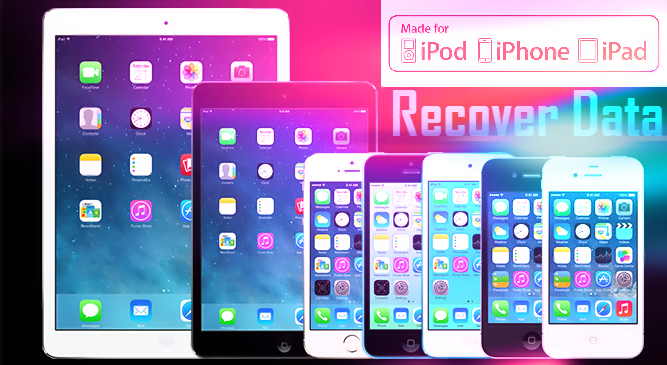
This is very common fault, many iPhone and iOS users  accidentally delete camera photos and  contacts in iPhone. Now they dont know how to recover these deleted photos from iPhone. What is Good software for recovering delete photos, pictures and message from iPhone ?
In this post we clear your all confusions about recovering data in iPhone.
recover-data-of-iphone

But I think first you need to know what is Data Recovery.

What is Data Recovery

Data Recovery is process of recovering your delete data like movies, pics, pictures, messages, contacts and music. 
On Internet there are many type of software for recovering your delete in iPhone.
 But here in this post we use EaseUS recovery software for recovering your delete data. EaseUS is totally free and dont need to pay any type of money.


How to recover delete & lost data on Android (rooted or not) 


EaseUS MobiSaver Free Software for Windows and Mac

EaseUS MobiSaver Free is an easy-to-use and completely free iPhone data recovery tool. It can retrieve lost contacts, messages, photos, notes, videos, etc from all iOS devices. Handing an iPhone is pretty cool and eye-catching. But if you lost your files or data due to accidental deletion, or iOS upgrade, device crash or damage, you will feel desperate and frustrated. If you dont want to pay for the expensive price to recover your important files from iPhone, EaseUS MobiSaver Free is your best bet.

How to Unlock/Bypass iPhone Passcode - iPhone 6/6 plus/5/5c/5s/4/4s 


Steps for Recovering Deleted from iPhone

Recover Data From iOS Device

Step 1. Connect Device to PC and Select Recovery Mode
Run EaseUS MobiSaver and connect your iOS device to the computer. Soon you will see the three recovery modes the software offers in its main window. Choose "Recover from iOS Device" mode and click "Scan" button on the right side.
easeus-saver-mobile


Step 2. Scan the Device to Find Lost Data
Finish step 1, EaseUS MobiSaver will automatically scan your iOS device to find out and analyze all the existing and deleted files. The length of the time spend in scanning depends on the number of the file you stored on your device. So if there are lots of data on your device, please wait patiently till the software finish the scanning task. You can also click "Stop" button to cancel the scanning task and try to find lost data from current scan result.
easeus-saver-mobile


Step 3. Preview and Recover The Lost Data
After scanning, all the recoverable files on the iOS device found by EaseUS MobiSaver will be displayed on the left side in well-organised categories. You can easily find and preview the exact type of file by clicking the correct category. Finally, you can select out all the iOS data you desire and get them back with one click on "Recover" button. Here you need to specify a folder to save the recovered files on your computer.
easeus-saver-mobile

Top 10 New Apple IPhone Secret Codes 

Data Recovery Supported Devices 

Support almost all iOS devices

iPhone 6Plus, iPhone6, iPhone5s, iPhone 5c, iPhone 5,iPhone 4S, iPhone 4, iPhone 3GS
iPad, iPad 2, The new Pad, iPad 4, iPad with Retina display, iPad Air, iPad Air 2, iPad Mini, iPad Mini 2, iPad Mini 3
iPod touch iPod touch 5, iPod touch 4


Data Recovery Supported Files

Recover Photos , Recover Videos, Recover Messages, Recover WhatsApp Messages, Recover Contacts, Recover Call History, Recover Notes, Recover Calendar, Recover Reminders , Recover Safari, Bookmarks, Recover Message, Attachments, Recover Camera Roll

This is one of the best and free data recovery software for Windows and Mac. You can recover all type of deleted from iPhone and other iOS devices.


download now

Tuesday, September 27, 2016

Buset Layar iPhone 6s Ternyata Super Kuat Menahan Anak Panah!

Buset Layar iPhone 6s Ternyata Super Kuat Menahan Anak Panah!


Buset, Layar iPhone 6s Ternyata Super Kuat Menahan Anak Panah!


 Share  Share  Tweet http://jlan.tk/t/7813
iPhone 6s disebut-sebut sebagai versi penyempurnaan dari generasi terdahulunya. Beberapa waktu lalu sempat heboh karena ternyata iPhone 6s dan iPhone 6s Plus tahan direndam selama satu jam, walaupun tidak memiliki sertifikasi anti air. Ternyata ada yang lebih keren lagi. Buset, Layar iPhone 6s Ternyata Super Kuat Menahan Anak Panah!
iphone

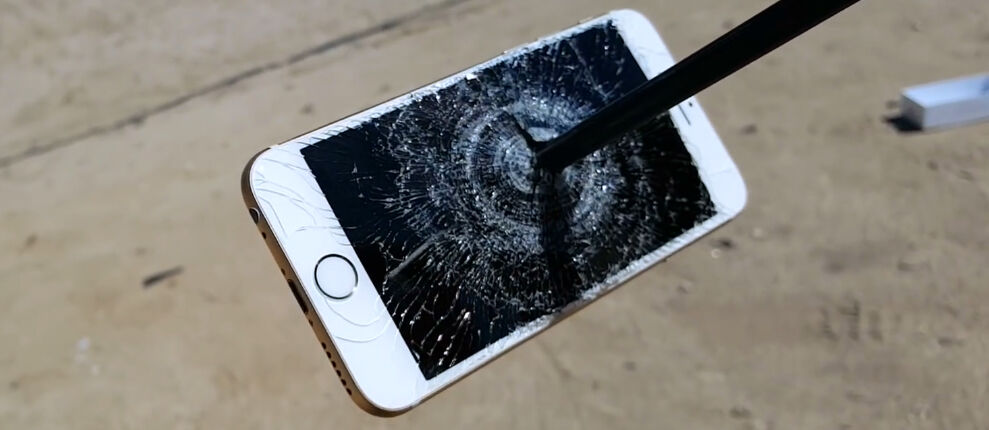
iPhone 6s dan iPhone 6s Plus menggunakan layar IPS LCD dengan proteksi Ion-strengthened glass danoleophobic coating. Lapisan ini diklaim dapat melindungi layar dari goresan benda apa pun. Terbukti, setelah ditembak dengan panah tajam, layar ini hanya sedikit mengalami goresan. Namun, bagian belakang iPhone ternyata tidak dilengkapi perlindungan yang sama. Sehingga ketika iPhone 6s tersebut ditembak sekali lagi, anak panah langsung menembus HP canggih tersebut dan memecahkan layarnya dari dalam. Lihat nih videonya.
Video tersebut dibuat dan diunggah oleh akun YouTube FullMag yang sering membuat video tentang uji coba berbagai macam senjata api, panah, pistol, hingga meriam. Dari hasil video tersebut cukup menunjukkan bahwaperlindungan layar iPhone 6s sudah cukup bagus. Kalau kamu punya informasi atau pendapat lain tentang video di atas, silakan tulis pada kolom comment di bawah ini.

download now

Sunday, September 25, 2016

Top 10 New Apple IPhone Secret Codes

Top 10 New Apple IPhone Secret Codes


Iphone is one of the most popular smartphones in mobile market. Apple has also secret codes like android secret hidden codes. Now in this post we reveal iPhone secret hidden codes.
You need to only open your dialer and dial these codes. 
Also Read:
How to Unlock/Bypass iPhone Passcode - iPhone 6/6 plus/5/5c/5s/4/4s

Download BlueStacks Offline Installer for Windows 7/8,8.1 and 10 & MAC OS PC

iphone secret codes


 *#06#

It helps to know IMEI Number of any phone i.e. it will work on any smartphone


 *#21#

This code displays insformation about call forwarding (calls , voide and data)


 *#62#

Information call forwarding if phone is switched off or in case of none of service is available 


 ##002#

This code disables all call forwarding!


 *#30#

This code allows or blocks the phone number calling you!


 *#31#

Allows you to hide your phone number


 *#33#

This code will give you a list with multiple configurations like ( call , sms , data etc) and show whether they are enabled or not 


 *#43#

This code helps to verify status of call waiting like SMS , Data and Sync data


 *#61#

To know missed calls


 *3001#12345#*

To display many of the inner settings of your Iphone

download now

Monday, August 22, 2016

Apple Latest Iphone 6 and Iphone 6 Plus Price in India

Apple Latest Iphone 6 and Iphone 6 Plus Price in India


Apple Launch his latest Iphone in Live Event. This time Apple Launches two Iphone in Different Size. One Iphone Named is Iphone 6 and second named is Iphone 6 Plus. 
Apple Latest Iphone 6 and Iphone 6 Plus Price in India


Apple Iphone 6 Features


  • Apple Latest Iphone 6 Phone will run Apple M8dual-core Processor with Apple Latest OS ios8 support. 
  • Apple Iphone 6 comes with 4G LTE network support.
  • Apple Iphone 6 come with nano sim support. 
  • The most favourite thing in Apple iphone 6 is 128 GB memory.
  • Apple Iphone 6 Record videos on 1080p with dual LED flash.

But in this Post I Tell you Price of Iphone 6 in India.
In India Apple Iphone 6 price between 60,000  for the 4.7inch Model and you pay 70,000 for 5.5 inch Model.If you buy 32GB or 64GB Iphone 6 Model this price goes to 80,000 to 90,000. I dont know 128GB Model price but I think this goes to above 1Lacs.
Apple Latest Iphone 6 and Iphone 6 Plus Price in India
Iphone 6 and Iphone 6 Plus Price List in India 
iPhone 6 price list
4.7 inch variant of iPhone 6 (in Rupees)
5.5 inch variant of iPhone 6 (in Rupees)
16 GB
60,000
70,000
32 GB
69,000
79,000
64 GB
77,000
85,000


This is the price of Apple Iphone 6 in India but It may be differ because of sale tax.
For More Check Apple Website.

download now

Wednesday, August 10, 2016

Menjual Apple iPhone 6S Blackmarket

Menjual Apple iPhone 6S Blackmarket


SELAMAT DATANG DI WEBSITE Andy Sanjaya BLACKMARKET SAYA, NIKMATI BERBELANJA ONLINE MURAH DAN HEMAT BERSAMA SAYA, ANDY YUSUF BLACKMARKET:, kunjungi WEBSITE: http://andysanjayablackmarket88.blogspot.com/ Merek Handphone dan Harga, iphone 6s Plus 128GB Rp.5.800.000,- iphone 6s Plus 64GB Rp. 5.600.000,- iphone 6s Plus 16GB Rp. 5.400.000, iPhone 6 Plus 16GB Rp. 4.400.000 iPhone 6 Plus 64GB Rp. 4.600.000...[...]

Baca selengkapnya di: Menjual Apple iPhone 6S+ Blackmarket


download now

Sunday, August 7, 2016

How to Unlock Bypass iPhone Passcode iPhone 6 6 plus 5 5c 5s 4 4s

How to Unlock Bypass iPhone Passcode iPhone 6 6 plus 5 5c 5s 4 4s


In iPhone forget the passcode is very frustrating. Passcode is very good security in iPhone, but sometimes you forgot your passcode and your phone is dead. On Internet there are many legal and Illegal ways to unlock and bypass the security of your Iphone Passcode. But in this post, we give you some official method to unlock your iPhone. Bypass Security passcode method works in all type of iPhone like iPhone 6, iPhone 6 Plus, 5, 5c, 5s, 4 and 4s. 

Make Your Android Look Like iPhone iOS7
Unlock/Bypass iPhone Passcode - iPhone 6/6 plus/5/5c/5s/4/4s

Below you see we share three different method for unlocking your iPhone Passcode. These all three methods are legal. Below method works in all ios versions like ios 8, 7 . 6, 5 and etc.


Method 1.  Unlock iPhone Passcode Using iCloud


This method works only if you have enabled Find My Phone feature on your iOS device. Because by using this method you can easily restore your iPhone and unlock your passcode. Actually, this is an amazing feature of iOS devices. Its also very helpful when you lost your phone. You can reset all your valuable data remotely and many more.


1. Go to this link on your PC.
2. Now sign in with your Apple ID and password.
3. Click All Devices at the top of your browser window.
4. From there select any device- iPhone, iPad or iPod Touch, whose data you want to erase.

5. Click "Erase" to erase your desired device and its passcode.
6. Now using the setup assistant on your device to restore the most recent backup and it will take your complete data back excluding passcode


Congratulations! Check your iPhone, you’ve successfully unlocked your iPhone passcode.


Method 2. Unlock iPhone Passcode Using iTunes


This method works with iTunes. So open your iTunes on your PC, and follow the below steps.

  1. Connect the PC with your iPhone, which you normally use to connect your iPhone with iTunes, otherwise it won’t work for you.
  2. Now it’ll automatically sync your iPhone and will create a backup of all your data.
  3. Afterwards, restore your iPhone.
  4. After that, it will show you different backups of your device, choose the most recent backup.
  5. After completion of your restore process, youll able to use your phone without the passcode. Enjoy!
Top 10 New Apple IPhone Secret Codes

Method 3. Unlock iPhone Passcode Using Recovery Mode


This is the third and last method as I know, most of the Apple iPhone user love this method.

  1. First of all, Hold Sleep/Wake button and then tap on Power Off option.
  2. Now Press and Hold Home button and at the same time plug in your device with your computer then your device will be automatically turned on.
  3. Don’t left the home button until you see option that, Connect to iTunes
  4. Then iTunes will prompt message that it has detected a device, you need to tap on OK
  5. After that, restore your device with the same steps as described above.


Now you have learnt that How to Unlock iPhone Passcode.  Above you see three different method for unlocking your iphone passcode. If you got any problem then contact me.


download now

Saturday, August 6, 2016

iPhone wallpapers

iPhone wallpapers


download iPhone wallpapers
??????? ????? ?????????? ??? ??? .


?????? ???????: ?? ????

??????? ???????: ?? ???? ????

Number of picture : 20 items

Size of pictures : 17 MB


:for download click here:
?? ?????? ???? ???? ???:

iPhone wallpaper

download now