Best Free Data Recovery Software for all iOS Devices iPhone iPad iPod
This is very common fault, many iPhone and iOS users accidentally delete camera photos and contacts in iPhone. Now they dont know how to recover these deleted photos from iPhone. What is Good software for recovering delete photos, pictures and message from iPhone ?
In this post we clear your all confusions about recovering data in iPhone.
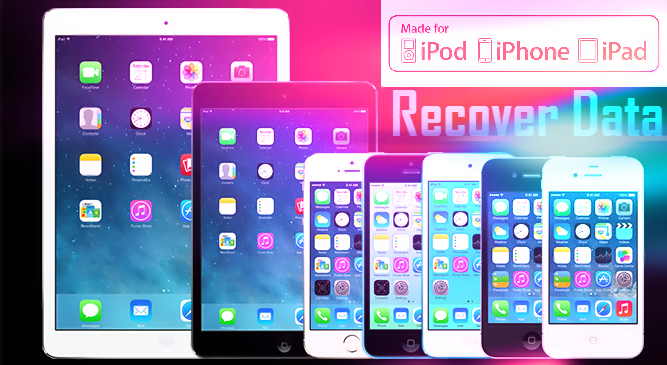
But I think first you need to know what is Data Recovery.
On Internet there are many type of software for recovering your delete in iPhone.
But here in this post we use EaseUS recovery software for recovering your delete data. EaseUS is totally free and dont need to pay any type of money.
How to recover delete & lost data on Android (rooted or not)
EaseUS MobiSaver Free is an easy-to-use and completely free iPhone data recovery tool. It can retrieve lost contacts, messages, photos, notes, videos, etc from all iOS devices. Handing an iPhone is pretty cool and eye-catching. But if you lost your files or data due to accidental deletion, or iOS upgrade, device crash or damage, you will feel desperate and frustrated. If you dont want to pay for the expensive price to recover your important files from iPhone, EaseUS MobiSaver Free is your best bet.
How to Unlock/Bypass iPhone Passcode - iPhone 6/6 plus/5/5c/5s/4/4s
Run EaseUS MobiSaver and connect your iOS device to the computer. Soon you will see the three recovery modes the software offers in its main window. Choose "Recover from iOS Device" mode and click "Scan" button on the right side.

Step 2. Scan the Device to Find Lost Data
Finish step 1, EaseUS MobiSaver will automatically scan your iOS device to find out and analyze all the existing and deleted files. The length of the time spend in scanning depends on the number of the file you stored on your device. So if there are lots of data on your device, please wait patiently till the software finish the scanning task. You can also click "Stop" button to cancel the scanning task and try to find lost data from current scan result.

Step 3. Preview and Recover The Lost Data
After scanning, all the recoverable files on the iOS device found by EaseUS MobiSaver will be displayed on the left side in well-organised categories. You can easily find and preview the exact type of file by clicking the correct category. Finally, you can select out all the iOS data you desire and get them back with one click on "Recover" button. Here you need to specify a folder to save the recovered files on your computer.

Top 10 New Apple IPhone Secret Codes
iPad, iPad 2, The new Pad, iPad 4, iPad with Retina display, iPad Air, iPad Air 2, iPad Mini, iPad Mini 2, iPad Mini 3
iPod touch iPod touch 5, iPod touch 4
This is one of the best and free data recovery software for Windows and Mac. You can recover all type of deleted from iPhone and other iOS devices.
In this post we clear your all confusions about recovering data in iPhone.
But I think first you need to know what is Data Recovery.
What is Data Recovery
Data Recovery is process of recovering your delete data like movies, pics, pictures, messages, contacts and music.On Internet there are many type of software for recovering your delete in iPhone.
But here in this post we use EaseUS recovery software for recovering your delete data. EaseUS is totally free and dont need to pay any type of money.
How to recover delete & lost data on Android (rooted or not)
EaseUS MobiSaver Free Software for Windows and Mac
How to Unlock/Bypass iPhone Passcode - iPhone 6/6 plus/5/5c/5s/4/4s
Steps for Recovering Deleted from iPhone
Recover Data From iOS Device
Step 1. Connect Device to PC and Select Recovery ModeRun EaseUS MobiSaver and connect your iOS device to the computer. Soon you will see the three recovery modes the software offers in its main window. Choose "Recover from iOS Device" mode and click "Scan" button on the right side.
Step 2. Scan the Device to Find Lost Data
Finish step 1, EaseUS MobiSaver will automatically scan your iOS device to find out and analyze all the existing and deleted files. The length of the time spend in scanning depends on the number of the file you stored on your device. So if there are lots of data on your device, please wait patiently till the software finish the scanning task. You can also click "Stop" button to cancel the scanning task and try to find lost data from current scan result.
Step 3. Preview and Recover The Lost Data
After scanning, all the recoverable files on the iOS device found by EaseUS MobiSaver will be displayed on the left side in well-organised categories. You can easily find and preview the exact type of file by clicking the correct category. Finally, you can select out all the iOS data you desire and get them back with one click on "Recover" button. Here you need to specify a folder to save the recovered files on your computer.
Top 10 New Apple IPhone Secret Codes
Data Recovery Supported Devices
Support almost all iOS devices
iPhone 6Plus, iPhone6, iPhone5s, iPhone 5c, iPhone 5,iPhone 4S, iPhone 4, iPhone 3GSiPad, iPad 2, The new Pad, iPad 4, iPad with Retina display, iPad Air, iPad Air 2, iPad Mini, iPad Mini 2, iPad Mini 3
iPod touch iPod touch 5, iPod touch 4
Data Recovery Supported Files
Recover Photos , Recover Videos, Recover Messages, Recover WhatsApp Messages, Recover Contacts, Recover Call History, Recover Notes, Recover Calendar, Recover Reminders , Recover Safari, Bookmarks, Recover Message, Attachments, Recover Camera RollThis is one of the best and free data recovery software for Windows and Mac. You can recover all type of deleted from iPhone and other iOS devices.
download now


