Showing posts with label alienware. Show all posts

Tuesday, September 27, 2016

Download Gratis Alienware Skin Pack Terbaik 2015

Download Gratis Alienware Skin Pack Terbaik 2015


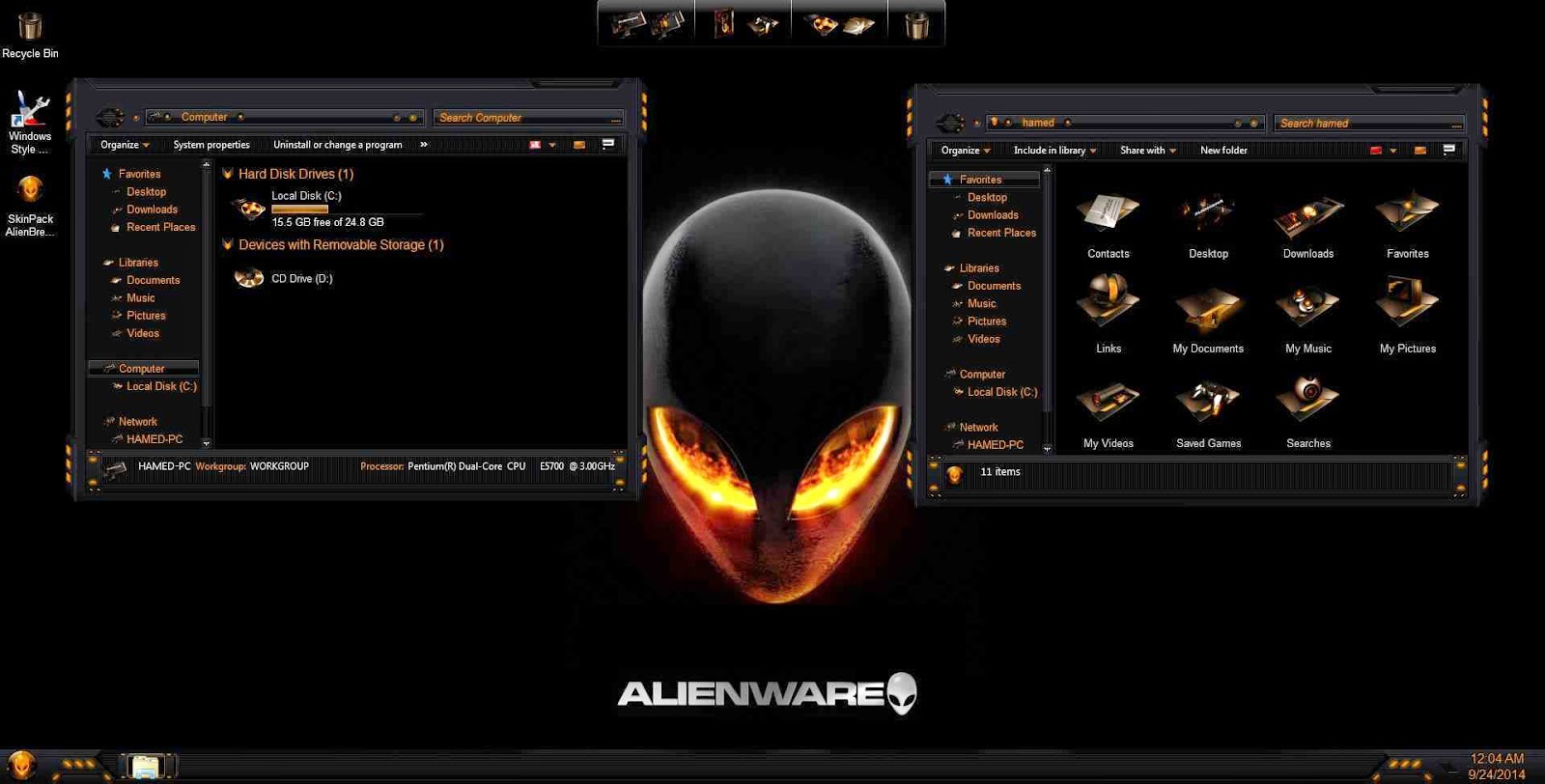
Alienware Skin Pack - adalah kembali syauqi 97 akan membagikan sebuah software yang cocok bagi anda yang suka mengutak-atik desktop. jika sebelumnya saya telah membagikan Windows 10 Transformation kali ini saya akan membagikan Alienware Skin pack. Mungkin teman dirumah pernah mendengar alienware.

Alienware adalah Produk yang dikeluarkan oleh dell yang berupa Laptop atau PC Khusus untuk gaming HIGH-END. harganya tidak tanggung-tanggung contoh laptop alienware yang paling murah aja diatas 10 jutaan, wow. maka dari itu jika teman dirumah tidak punya uang untuk membeli Alienware, teman tidak salah datang kesini.

Dengan software ini telah membuat tampilan desktop kita menjadi seperti tampilan alienware, tanpa mengeluarkan budget sediktipun. tidak tanggung-tanggung saya akan membagikan 5 sekaligus skinpack yang saya ambil dari Gigapurbalingga yaitu

1. SkinPack AlienBreed Orange 1.0, 
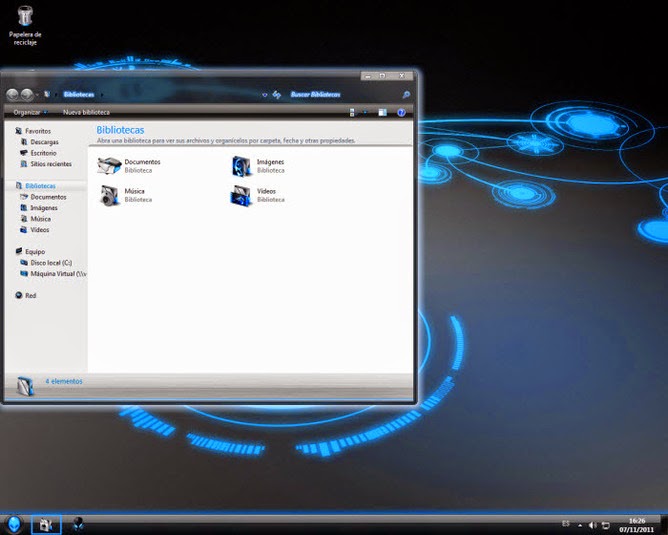
2. SkinPack Aliengreen 3.0, 
3. SkinPack AlienInspired 1.0, 
4. SkinPack Alienred 3.0, 
5. SkinPack Alienware Evolution 2.0.

Skin pack ini support oleh semua OS mulai windows 7, 8, atau berbagai sistem 32 bit ataupun 64 bit.

Screenshot
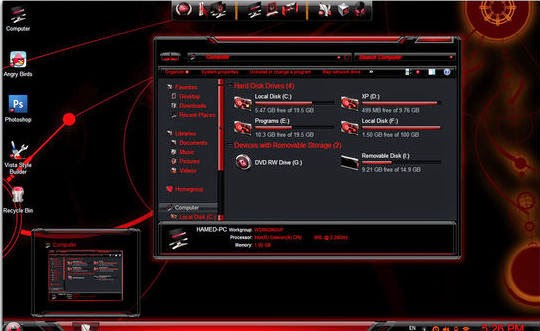
Alienware Skin Pack


Alienware Skin Pack


Alienware Skin Pack


Changelog Version 2.0
  • Added oldnewexplorer
  • Added both of Win8 and Win7 installer in one installer
  • Added last version of uxstyle
  • Added theme resource changer
  • Change logon screen with registry
  • Change icons and theme without restart system
  • Enable aero in windows basic
  • Updated icons and styles
  • Fixed bugs and problems
  • Remove riscky files
  • Added both of x86 and x64 installer in one installer
Download disini
  • Download skinpack alienware - Solidfiles
  • Download skinpack alienware - Microcreator

download now

Saturday, September 24, 2016

Download Red Alienware Skin Pack 1 0 – Theme For Windows 8

Download Red Alienware Skin Pack 1 0 – Theme For Windows 8


Paket Skin Pack Red Alienware ini cukup mudah digunakan dan aman saat instalasinya, namun pastikan uninstal versi lama Skin Pack pada control panel sebelum memakai versi baru ini serta sebelum memasang Red Alienware Skin Pack 1.0 tutup semua program yang sedang berjalan, setelah selesai instalasi segera restart sistem Anda. Theme ini berjalan di sistem Operasi Windows 8 baik yang berarsitektur 32-bit maupun 64-bit.
 

image host


  • Free Download RazerRed Skin Pack 1.0-Win8x86
  • Free Download RazerRed Skin Pack 1.0-Win8x64
PERHATIAN!
Untuk cara downloadnya Anda akan diarahkan ke adf.ly kemudian tunggu 5 detik dan cari tombol SKIP AD yang berada di sebelah kanan atas monitor anda.

download now

Tuesday, August 23, 2016

Download Windows 7 AlienWare Edition

Download Windows 7 AlienWare Edition


Windows yang telah diedit untuk pecinta OS PC adalah sesuatu yang keren dan memiliki nilai seni tersendiri.   Seperti pada Windows 7 AlienWare Edition yang saya share ini, tampilan dan fitur-fiturnya sangat keren. Dijamin jika anda memakai OS ini pasti tidak akan jenuh dan bosan. Selain itu anda tidak perlu susah untuk aktivasi os ini karena sudah memiliki aktivasi permanen. Sebenarnya Windows 7 AlienWare Edition adalah Windows 7 Ultimate yang telah diedit. Berikut adalah preview dari Windows 7 AlienWare Edition :

Screenshoot :

Features :
  • New Windows Sounds
  • Added Alienware touchpad drivers
  • 7-zip for extraction purpose.
  • Adobe Flash Player plugin
  • Adobe Flash Player ActiveX
  • Registry boosted up
  • More Stable and Reliable
  • UAC Disabled
  • New Look for Windows Media Player
  • New Shortcut Arrows
  • New set of icons
  • New Alienware theme 1 and Alienware theme 2
  • Added Registry control in Control panel
  • Added My computer in Control panel
  • Added user directory in Control panel
  • Added Libraries in Control panel
  • Added Windows switcher in Control panel
  • Added Network in Control panel
  • Added Internet explorer in Control panel
  • Added Group policy in Control panel
  • Added Recycle Bin in Control panel
  • Added User Account 2 in Control panel
  • Enabled Font smoothing
  • Enabled all desktop icons
  • Enabled startpanel off
  • Enabled show windows live
  • Enabled Bluetooth taskbar icon
  • Increased Menu display speed
  • Screensaver time setout in 1 Min and default screensaver as Photscreensaver
  • Enabled Lowlevel Hooks timeout
  • Enabled hidden wallpapers and themes
  • Enabled Welcome center
  • Enabled Auto Endtask
  • Enabled Administrative tools on start Menu
  • Enabled Run on start menu
  • Taskbar set to the mode – combine when taskbar is full
  • Power button action is set to shutdown
  • Enabled Display on My computer
  • Enabled Show Desktop in explorer context menu
  • Enabled Programes and Features on My computer
  • Enabled Administrative Tools on My computer
  • Enabled Backup and Restore on My computer
  • Enabled Device Manager on My computer
  • Enabled Windows Firewall on My computer
  • Enabled Mobility Center on My computer
  • Enabled Windows Update on My computer
  • Enabled Search on My computer
  • Enabled Regional Language on My computer
  • Enabled NetWork and Sharing Center on My computer
  • Enabled Run on My computer
  • Enabled Folder Options on My computer
  • Enabled Copy to, Move to, Grant Admin permission, Open with notepad, Open in New window, Disk cleanup, Defragment Analysis, Defragment this drive,
  • Enabled Register and unregister DLL
  • Added Device Manager, Cascading Menu shorcuts, God mode, Group policy, MS-config, services, Registry editor in my computer context menu
  • Shows Hidden files, Folders and operating system files
  • Shows hidden drives with no media
  • Shows file extensions
  • Disabled Windows defender
  • Disabled low disk space warning
  • Enabled powerdown after shutdown
  • Command window text color set to Red
  • Enabled Autorestart in the even of BSOD
  • Shows search on start menu
  • Disabled beep sound
  • Enabled maximum speed for mouse pointer
  • Enabled UXtheme patch
  • Minimized number of recent items to display in jump list to 10
  • Enabled Avalon effects
  • Enabled Windows dreamscenes
  • Enabled slow motion windows effects
  • Enabled thick window frame
  • Enabled IE phishing filter
  • Disabled background sound in IE
  • Default search page as Google
  • Enabled save session history of IE
  • Enabled use of cleartype
  • Enabled maximum number of downloads to 20
  • Disabled welcome page
  • Java runtime environment update 20
  • DirectX updated upto February 2010
  • Mozilla Firefox
  • VLC Media player
  • CCleaner
  • Added Easy shorcuts for desktop context menu
  • FIX: Misrepresent a system action or behavior without user knowledge
  • FIX: Remote Attacker Denial of Service
  • Resolved Issues caused by daylight saving time
  • Support Secure Digital (SD) cards larger than 32 GB
  • Resolved issues with non-compatible applications
  • Added Graphics card tweaker for both ATI and Nvidia
  • RT Registry tweaker Features:
  • (Unlock taskbar, use small icons, Disable Aero peek, Disable Aero snap, Disable Minimize animations, Disable taskbar animations, Add all kind of shortcuts to my computer, Disable Hibernation, Diskable Windows updates, Disable Windows firewall and other many useful tweaks from RT Registry tweaker).

Download Link :

Windows 7 AlienWare Edition 32 bit / x86 ( 2,7 GB ) | Part 1 | Part 2 | 

Windows 7 AlienWare Edition 64 bit / x64 ( 3,5 GB ) | Part 1 | Part 2 | 

Password : ir-dl.com

download now